
Mazda Connect Firmware Update


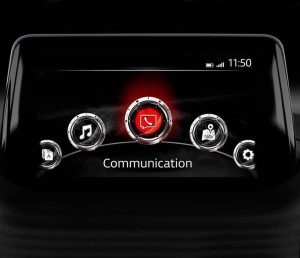


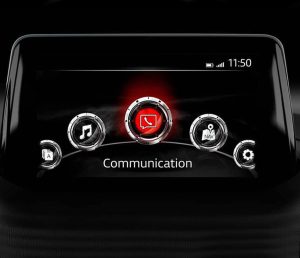
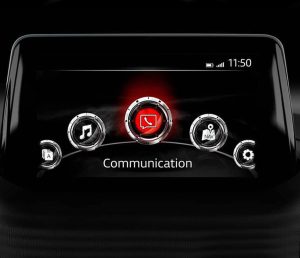


Mazda Connect Firmware Update (Gen 1) — Digital Delivery
Mazda Connect (Generation 1) uses different firmware branches depending on region. If your CMU is acting up—Bluetooth pairing glitches, random restarts, slow boot, audio quirks—or you are preparing a CarPlay/Android Auto retrofit, the right firmware version is usually the first thing to sort out.
This category is built around Mazda Connect 1 firmware updates delivered digitally. You receive:
- a download link to the firmware files,
- a step-by-step installation guide,
- and practical checks for choosing the correct region package.
Choose the correct firmware branch (EU / NA / ADR 4A)
Mazda released separate firmware lines for different markets. The names matter, because mixing regions is what causes most “wrong file / update blocked” situations.
- EU (Europe) – for European-market Mazda Connect 1 vehicles.
- NA (North America) – USA / Canada / Mexico.
- ADR 4A – used across Australia / New Zealand and many “rest of world” markets (ADR 4A coverage is broader than just AU/NZ).
If you are not sure which branch your car needs, message our technical support with your VIN and the current firmware screen photo, and we’ll point you to the correct option: https://navi-world.com/contact-us/
Popular firmware versions in this category
You may see one or more of these build families listed (availability depends on region branch):
- 70.00.100
- 70.00.335
- 74.00.324
We focus on the clean, stable “latest available” builds used in real installs, rather than dumping random files and leaving customers to guess.
CarPlay / Android Auto note
Firmware is part of the CarPlay/Android Auto story on Mazda Connect 1, but it’s not the only part. Many cars also need the compatible USB hub/retrofit hardware for full CarPlay/Android Auto functionality. In practice, customers usually update firmware first, then complete the retrofit steps using the correct hardware.
Japanese imports: switching the navigation region (JP → EU / ADR)
A growing number of owners import used Japan-market Mazdas into Europe (Ireland, Malta, Cyprus come up often) and into AU/NZ. With Mazda Connect 1, region switching is commonly possible through the correct firmware route, and it’s one of the most searched reasons people look for a Mazda firmware update today.
If you tell us where the car is now used (EU or ADR) and send the VIN + current software screen, we will confirm what is realistic for your CMU before you start.
How the update works (plain language)
- You download the firmware files on a computer.
- You copy them to the required USB drive (your guide specifies the format/steps).
- In the car, you start the update and follow the on-screen process until completion.
A firmware update is not complicated, but it is sensitive to doing the steps in the correct order. If you want a quick sanity check before you begin, contact support and we’ll confirm your branch and version path.
Why Navi-World
- Digital delivery (same/next day in most cases) with the files and a clear guide.
- Real technical support if something does not match your CMU screen.
- Trustpilot rated “Excellent” from customers who actually install these updates.
When you’re ready, open the firmware product that matches your region branch (EU / NA / ADR 4A) and follow the provided guide step by step.