

How to Determine Whether Your Renault Carminat System Is LIVE or NON LIVE?
Not sure which Renault Carminat navigation system is installed in your vehicle? Follow these simple steps to identify it quickly and accurately before ordering a map update or SD card.
1. Check for the “LIVE Services” Icon
If your navigation menu includes a LIVE Services icon, your vehicle is equipped with a Renault Carminat TomTom LIVE system.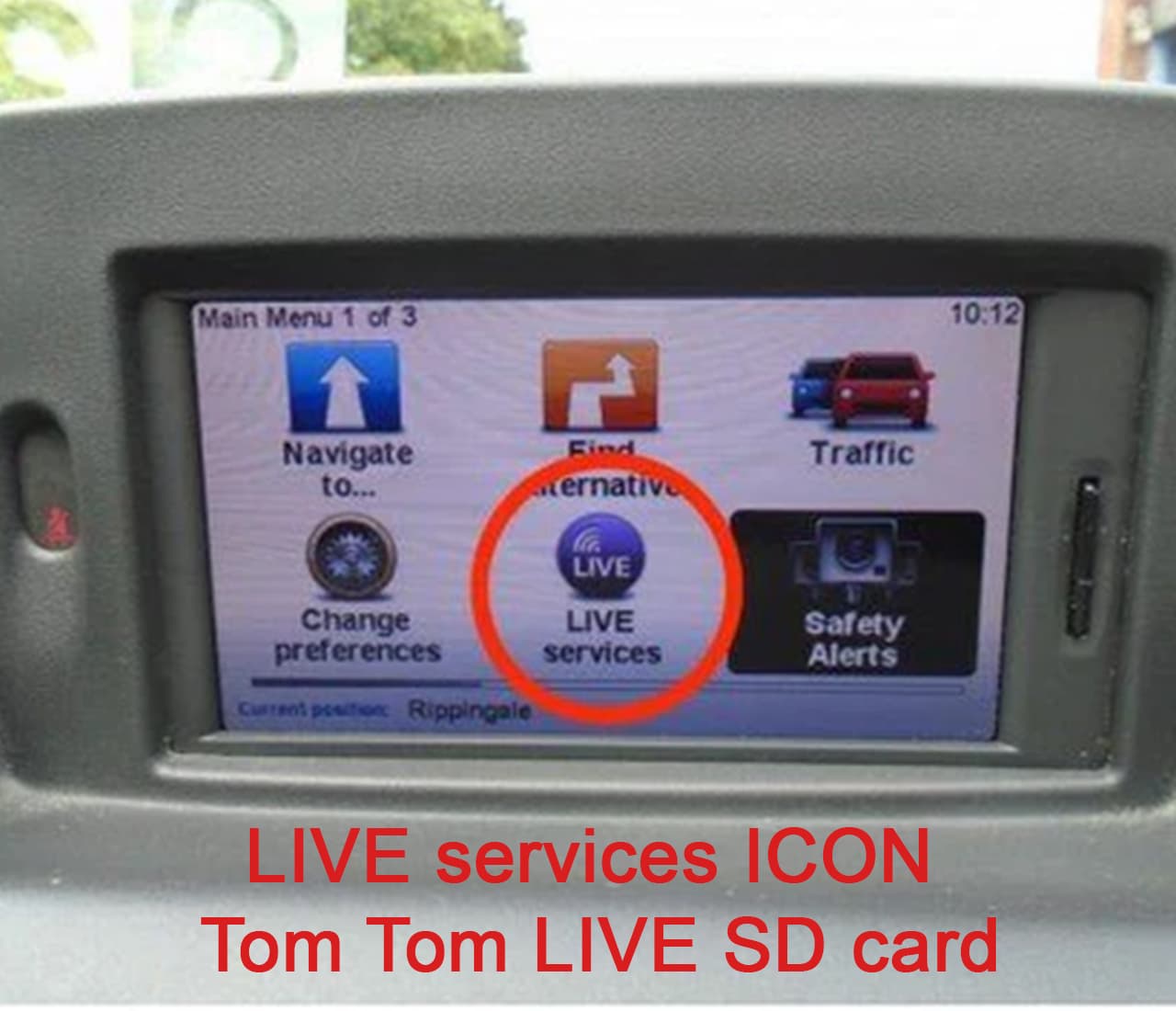
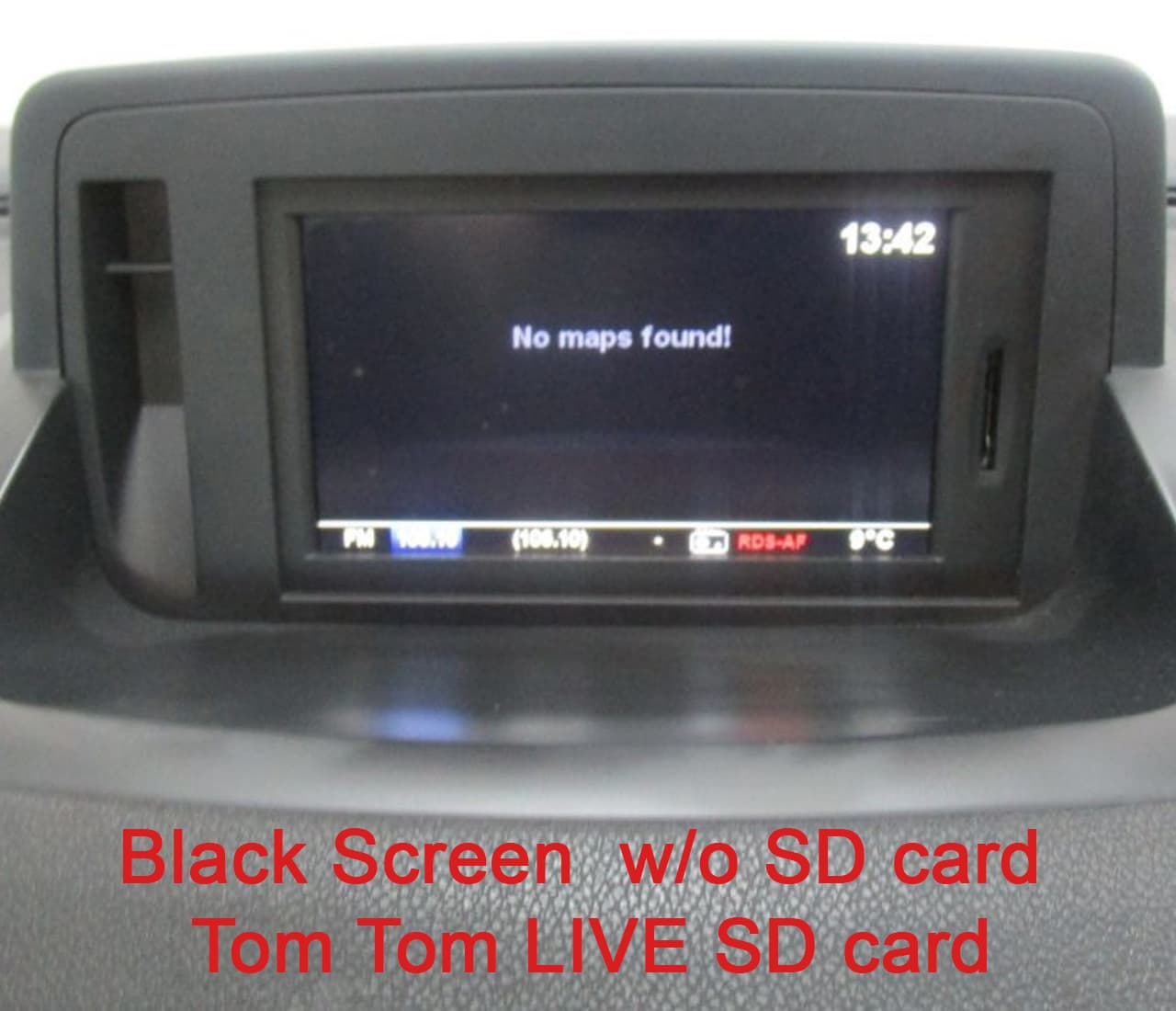
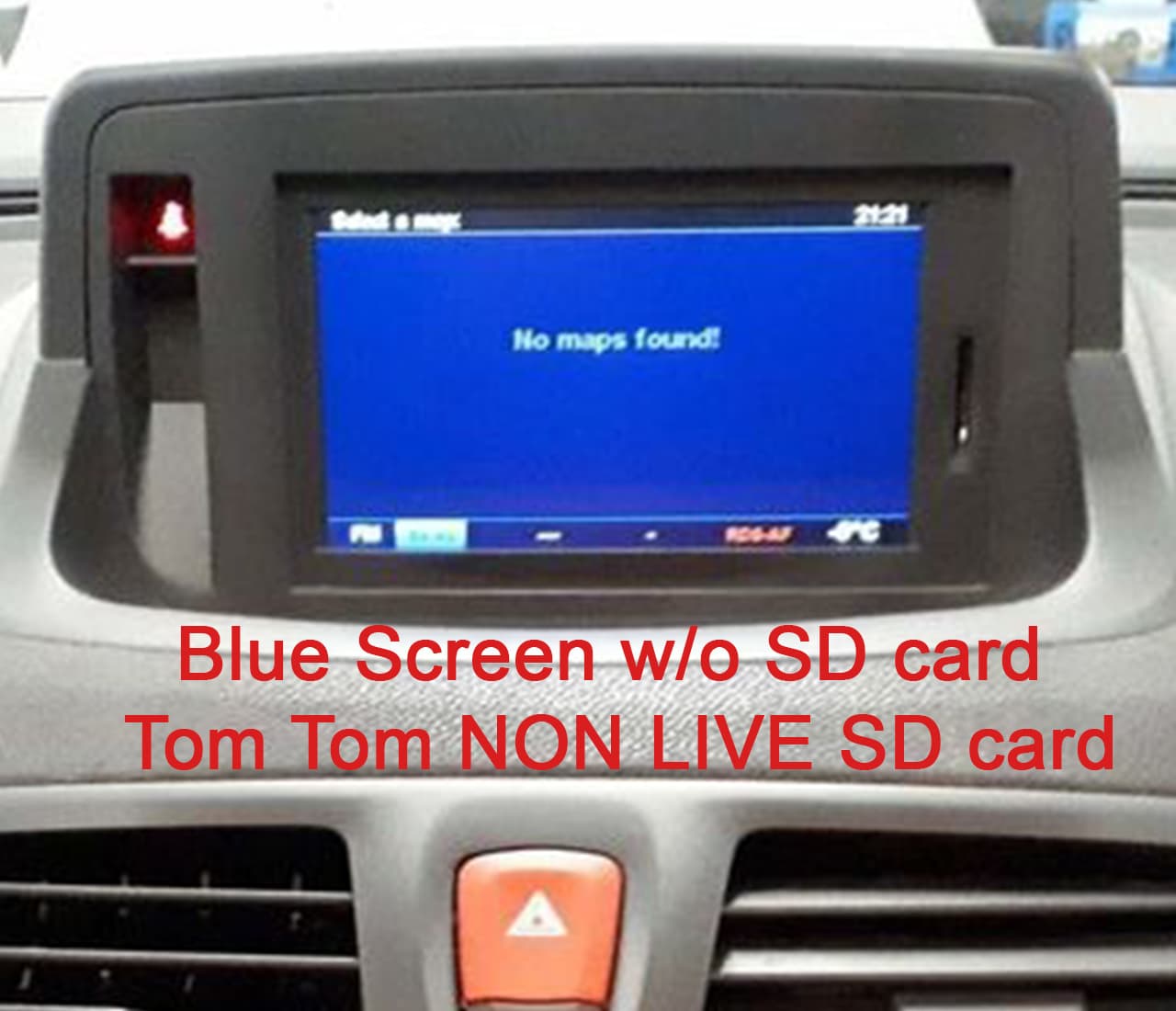
2. Remove the Navigation SD Card
Turn on the system without the navigation SD card inserted.
- If the screen background is black, you have a Carminat TomTom LIVE system.
- If the screen background is blue, you have a Carminat TomTom NON LIVE system.

Why Is This Important?
LIVE and NON LIVE systems use different navigation updates and SD cards. Identifying your system correctly before ordering ensures that you receive the correct update for your Renault.
If you’re still unsure, simply send us a photo of:
- Your navigation screen
- The main menu
- Your current SD card (if available)
Our team will help you identify the system and recommend the correct update. Once you have identified your system, you can choose the correct SD card and map update on this page.
0 Comments for “How to determine whether your Renault Carminat system is NON LIVE or LIVE?”