
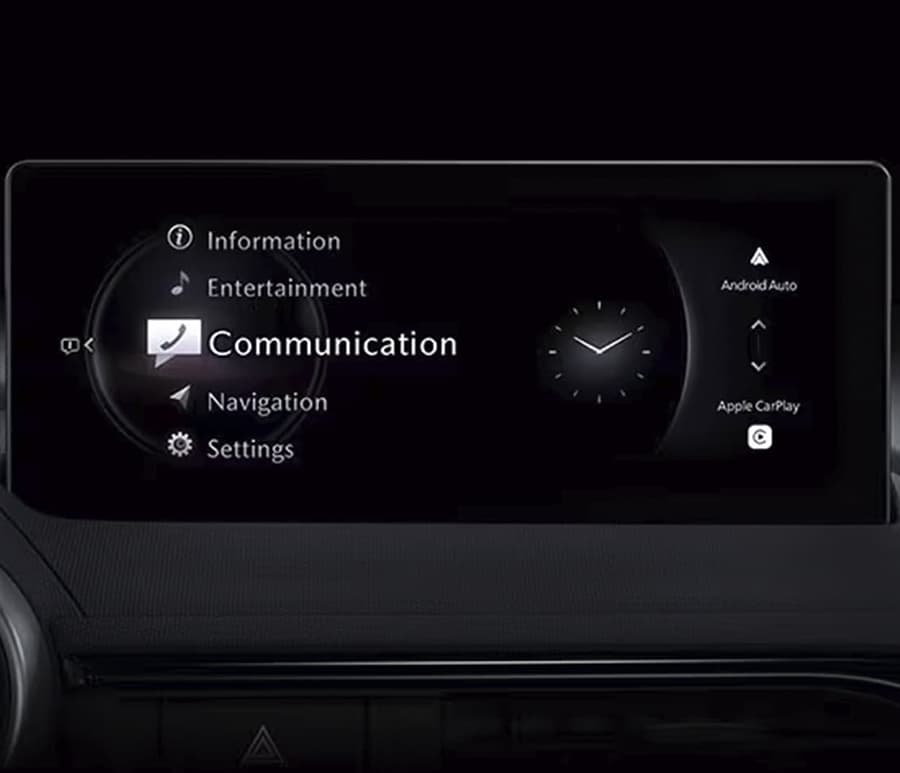
To find the correct firmware version for your Mazda, open the Engineering Menu, locate your MODEL ID, and select the firmware with the exact same MODEL ID from our list. Detailed guide: How to determine which version of Mazda Connect 2 firmware is in your vehicle? (MODEL ID)
EUROPE – Albania, Andorra, Austria, Belarus, Belgium, Bosnia, Bosnia Herzegovina, Bulgaria, Croatia, Czech, Denmark, Estonia, Finland, France, Germany, Gibraltar, Greece, Hungary, Ireland, Israel, Italy, Kazakhstan, Kosovo, Latvia, Liechtenstein, Lithuania, Luxembourg, Macedonia, Malta, Moldova, Monaco, Montenegro, Netherlands, Norway, Portugal, Poland, Romania, Russia, San Marino, Serbia, Slovakia, Slovenia, Spain, Sweden, Switzerland, Turkey, Ukraine, United Kingdom, Vatican.
CMU_7000C0A-EU01_11001.kwi * Mazda3 and Mazda CX-30
CMU_7000C0A-EU02_11030.kwi * Mazda MX-30
CMU_7000C0A-EU03_10030.kwi * Mazda CX-5 and Mazda CX-9
CMU_7230C1A- EU03_10032.kwi * Mazda3 and Mazda CX-30
CMU_7230C1A-EU04_12008.kwi * Mazda MX-30
CMU_7000C0A-EU06_12006.kwi * Mazda3 and Mazda CX-30
CMU_7230C1A-EU06_10034.kwi * Mazda CX-80
CMU_7000C0A-EU07_14030.kwi * MazdaCX-60 and Mazda CX-90
CMU_7000C0A-RU07_14018.kwi * MazdaCX-60 and Mazda CX-90
CMU_7230C1A-EU07_10032.kwi * MazdaMX-5
CMU_7000C0A-EU08_10030.kwi * Mazda CX-5 and Mazda CX-90
CMU_7000C0A-EU10_11012.kwi * MX-30
CMU_7230C1A-EU10_10024.kwi * CX-30
CMU_7230C1A-EU11_10012.kwi * Mazda CX-60
* Bugs Fixes
** Any subsequent firmware update fixes the bugs of the previous one. Unfortunately, we cannot list all the corrections, but we can show the main/latest fixes.
• When an artist or an album title is selected using voice command, no track may be played.
• When “Call Time Signal” is talked using voice command, Bluetooth® connection may be disconnected and the screen may freeze on communication to the time signal.
• Voice command may not be recognized.
• While multiple USB devices are connected, track selection using voice command may result in the error message “Too many tracks. This function is not available”.
• While adjusting Fader/Balance, if the volume knob is pressed and held to turn the power off, next time the power is turned on, the lines showing current setting for Fader/Balance may not appear.
• If the main power is turned off and then on quickly, while a Bluetooth 1 / 4 ® device is connected, Bluetooth® connection may not be resumed.
• After changing the distance unit in the system setting display, the energy efficiency unit in the EcoEnergyManagement screen may not change.
• After updating the emergency call unit (TCU in MDARS) software, DTC for disconnection of the mic may be stored in the CMU.
• After particular operations, the parking sensor screen may freeze.
• The 360° view monitor screen may be overlaid with the home screen.
• Language selection may fail to change.
• Warning message may appear leading to a reboot.
•While playing audio tracks using Android AutoTM and displaying the map using Android AutoTM, turning the main power off may lead to a reboot.
• Android AutoTM may fail to connect.
• While using Android AutoTM, turning the main power off may lead to the display to keep turning on.
• After connecting a device to use Apple CarPlayTM, turning the main power on may lead to a reboot.
• [Dutch] Improper spelling for “Gemiddelde efficiëntie”.
• [German] Improper translation for “Fahrersitztemperatur”.
• When using navigation with heading up mode, the vehicle icon may rotate instead of the map.
• When operating audio source screen, the system may reboot.
• If another incoming call comes in while ending a hands-free call, it is automatically accepted.
• While playing audio tracks using CarPlay, it may stop playing.
• While playing audio tracks using CarPlay, it may mute the volume.
• The system may reboot.
• Beep sounds after every couple of minutes.
• Language setting may not be accepted correctly.
• Traffic Sign Recognition system (TSR) may not show correct speed limit.
• While playing audio tracks using CarPlay, when refusing the incoming call, screen shows “Phone in use” message and it stops playing audio tracks.
• When pressing the mute button, the audio track may not pause.
Note: This is a digital product. The firmware and instruction will be sent to email you specified in the order within a maximum of 24 hours.
Note 2: One cannot install any Mazda Connect 2 firmware in a car intended for a different country. For example, attempting to install a 4A01 firmware into a NA01 or an EU01 is not possible. Mazda Connect systems strictly prohibit any change of country or region unless explicitly permitted by the system. In some countries, like Australia and New Zealand, you may be able to install certain Gen 7 EU0* firmware instead of 4A0* firmware, as newly manufactured cars in AU and NZ are now EU compliant but not NA0* compliant. This varies depending on the model year.
3 reviews for Mazda Connect 2 Firmware Update (CMU) EU – Europe
There are no reviews yet.