
Toyota SD card
-

Europe Toyota PW675-00A88 Sat Nav Micro SD card Europe 2025/2026
€49.90 €99.90Price range: €49.90 through €99.90 Select options -
On Sale!
Europe Toyota Touch & Go 2.25.0L / Touch & Go Plus 2.25.0H 2025 Sat Nav update map + activation code
Original price was: €109.90.€45.99Current price is: €45.99. Add to cart -
On Sale!
Europe Toyota Touch & Go2 6.26.0L / Touch & Go2 Plus 6.26.0H 2025 Sat Nav Update map + activation code
Original price was: €109.90.€47.99Current price is: €47.99. Add to cart -
On Sale!
Europe Toyota Touch 3 Gen10 2025 v2 Sat Nav update maps + activation code
Original price was: €109.90.€49.99Current price is: €49.99. Add to cart -
On Sale!
Europe Toyota Touch Pro Gen.7 2023 Sat Nav update map + activation code
Original price was: €109.90.€45.90Current price is: €45.90. Add to cart

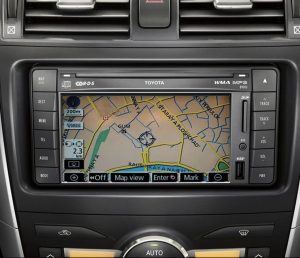
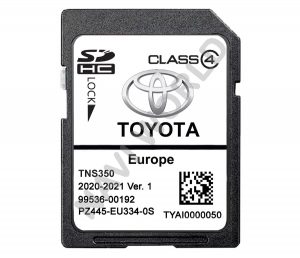
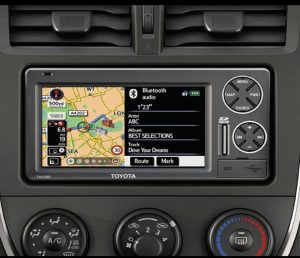

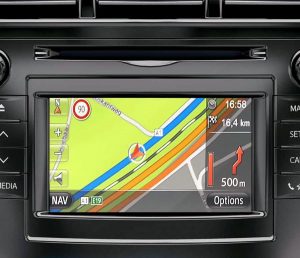
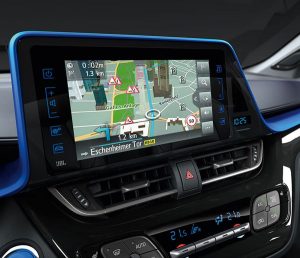
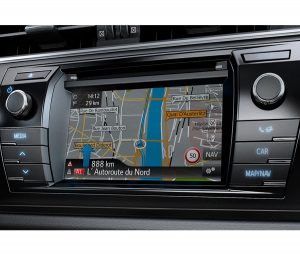


Toyota Navigation SD Cards & Map Updates (Europe + North America)
This Toyota category is built for drivers who want the factory navigation to stay easy to use in 2026. Here you’ll find a mix of physical SD/microSD cards (plug-and-play) and digital map updates that install from a USB stick with an activation code (PIN). Everything is listed by system and region, so you can match what’s in your car without guessing.
What you can buy in this category
1) Europe microSD cards (plug-and-play)
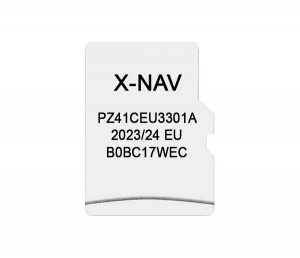
• Toyota Aygo X-NAV microSD (Europe) — a popular option for Aygo owners who need the latest available update.
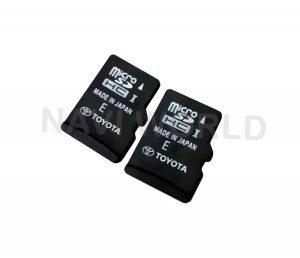
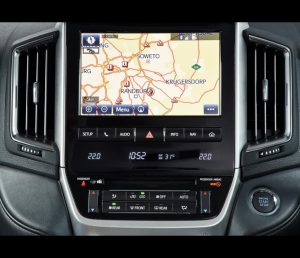
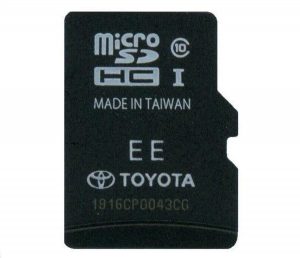
• Toyota PW675-00A88 microSD (Europe 2025/2026) for Toyota GEN9 Touch PRO V2.
• Special option: GEN9 Touch PRO V2 for cars imported from North America and now used in Europe. This is a niche request, but it matters—drivers want European maps on a US-spec car without changing the head unit.
How it works: you remove the old card (if present), insert the replacement microSD, start the infotainment, and give it a moment to load. That’s usually all.
2) Europe SD cards for older Toyota platforms (latest available update)
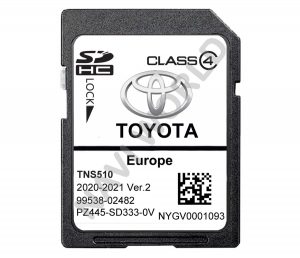
• Toyota TNS 510 (SD)
• Toyota TNS 350 (SD)
These systems still have demand because they’re simple and reliable. We keep the best available map release for each platform in stock, so owners can refresh coverage without moving to an aftermarket unit.
3) Europe digital map updates (download + PIN)
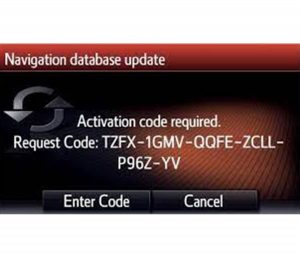
If your Toyota uses Touch & Go / Touch & Go2 / Touch 3 (Gen10), the update is typically delivered as files plus an activation code. You prepare a USB stick on a computer, start the update in the car, and enter the PIN when prompted.
In this category you’ll see, for example:
• Touch & Go / Touch & Go Plus map update + activation code (Europe)
• Touch & Go2 / Touch & Go2 Plus map update + activation code (Europe)
• Toyota Touch 3 Gen10 map update + activation code (Europe)
• Toyota Touch Pro Gen.7 map update + activation code (Europe)
You also get a step-by-step guide. If you want to review the process in advance, use our instruction page:
https://navi-world.com/2024/07/22/how-to-update-toyota-touch-go-touch-go-2-toyota-touch-3-gen-10-step-by-step-instructions/
About the PIN: depending on the platform, the activation code is generated using your VIN or the system/software version (and the selected map package). The product page explains what we need for that specific system.
4) North America GPS microSD card (USA / Canada / Mexico)
This category also includes a North America GPS microSD card option for compatible Toyota systems. If you’re shopping for the US/Canada/Mexico region, look for the GPS wording on the product page and confirm it matches your car’s platform.
How to choose the correct Toyota option
Toyota naming can be confusing because the same model may use different head units across trims and years. The safest method is simple:
- If you have a current SD/microSD card: check the label (part number + region) and compare it with the product page.
- If you’re ordering a digital update: open the product page and confirm the system name (Touch & Go, Touch & Go2, Touch 3 Gen10, Touch Pro Gen7, GEN9 Touch PRO V2, etc.).
- If anything doesn’t match 100%, contact our technical support before ordering: https://navi-world.com/contact-us/
Support and reputation
We work with these systems daily, and customers come back mainly for one reason: support that actually helps when something is unclear. Navi-World is rated “Excellent” on Trustpilot, and we keep instructions practical so you can complete the update without dealer visits.
Delivery
Physical cards (Europe): orders are shipped within Europe from our UK and Lithuania locations. Many deliveries to major Toyota markets such as Germany, the United Kingdom, France, Italy, and Spain arrive in roughly a week under normal conditions. Final delivery is completed by the destination country’s national postal operator (for example DHL/Deutsche Post in Germany, Royal Mail in the UK, La Poste in France, Correos in Spain, Poste Italiane in Italy).
Digital products: delivery is same/next day in practice—download link, PIN (where required), and step-by-step instructions.
Next step
Open the Toyota product that matches your system and region, confirm the platform notes, and order the SD/microSD card or the map update download. If you want to avoid trial and error, send us your details before you buy and we’ll point you to the right option.