
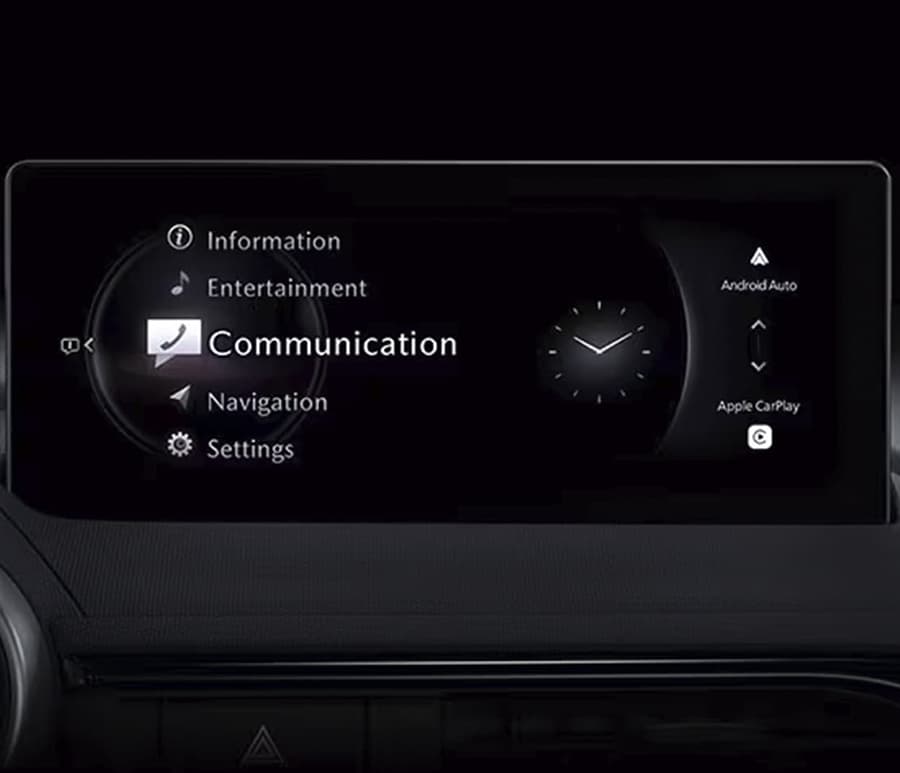
To find the correct firmware version for your Mazda, open the Engineering Menu, locate your MODEL ID, and select the firmware with the exact same MODEL ID from our list. Detailed guide: How to determine which version of Mazda Connect 2 firmware is in your vehicle? (MODEL ID)
Symptoms
- Blank Screen
- Rebooting
- Infotainment System Has No Sound
- Commander Switch Does Not Work
- Bluetooth device will not pair
- Incorrect GPS position
- Voice Recognition Does Not Work
- Cannot Make a Hands-Free Call
- Cannot Play Bluetooth Audio
- SiriusXM Inoperative and/or No Audio Sound
- Wireless Apple CarPlay/Android Auto will not connect
- The list on the center display may appear distorted, giving a double image.
- The system may reboot when the ignition is turned on.
- The voice recognition function does not start.
- The unit used for height input is incorrect in the driver personalization system.
- CarPlay may fail to connect while driving on the highway.
- The speed limits guidance may be incorrectly displayed while using navigation.
- The number of the available stations may not be displayed when searching for a charging station.
- Incorrect time may be displayed while synchronizing with GPS.
- Exit information may not be displayed while using navigation.
- The screen image may not be displayed correctly when the first crossing is located within 3 miles (5 km) and the second crossing is located further than 3 miles (5 km).
- Guidance message for Congestion Charge Zone may be spoken where not applicable.
- A navigation guidance may be displayed in Active Driving Display and/or the center display even though the SD card is removed.
- A navigation command by voice recognition may display Mazda Connect incorrectly.
- Pressing the commander may sometimes not display the menu after deleting multiple destinations.
- After connecting CarPlay with an iPhone 15 via a wired connection, CarPlay may reconnect even if it is disconnected in the device list within the connect settings.
- Operations within the Bluetooth® device list may fail.
- Improper icons may appear when editing the driver icon in the driver personalize setting.
- The confirmation icon display within the pop-up screen incorrectly shows as an error icon.
- The banner display for authentication failures on Apple devices has been modified.
- Backup and restore may fail in the factory service diagnostics.
- The Wi-Fi client menu is unavailable when the in-vehicle communication unit has no signal.
- A smartphone may not be charged when the smartphone is connected to a USB port while connected to Wireless CarPlay.
Any firmware update improves the overall stability and speed of the system. If you are experiencing issues with your multimedia system, it is highly recommended to update it to the latest version.
Regions:
North America – USA, Canada, Mexico
CMU_7000C0A-NA01_12006.kwi 2019-2021 Mazda3 and 2020-2021 CX-30 Non-Turbo vehicles built before July 1, 2021
CMU_7230C1A-NA01_10014.kwi 2023-2025 CX-50
CMU_7230C2A-NA01_10014.kwi 2023-2025 CX-50
CMU_7000C0A-NA02_11046.kwi 2022 MX-30
CMU_7230C1A-NA02_10014.kwi 2023-2025 CX-50
CMU_7000C0A-NA03_11048.kwi 2021-2023 CX-5 and CX-9
CMU_7230C1A-NA03_10026.kwi – US Spec. with Navi 2024 Mazda3 2024 CX-30
CMU_7230C5B-NA03_10026.kwi – US Spec. without Navi 2024 Mazda3 2024 CX-30
CMU_7000C0A-NA04_12006.kwi 2021 Mazda3 and CX-30 Turbo vehicles built before July 1, 2021
CMU_7000C0A-NA05_11026.kwi 2023-2025 CX-50
CMU_7230C1A-NA05-10026.kwi 2025 CX-70
CMU_7230C2A-NA05-10026.kwi 2025 CX-70
CMU_7000C0A-NA06_12018.kwi 2021- 2023 Mazda3 and CX-30 built after July 1, 2021
CMU_7230C1A-NA07-10032.kwi 2024-2026 MX-5
CMU_7230C2A-NA07-10032.kwi 2024-2026 MX-5
CMU_7000C0A-NA10_10004.kwi 2023 MX-30
CMU_7230C1A-NA10_10024.kwi 2025 Mazda3 2025 CX-30
CMU_7230C2A-NA10_10024.kwi 2025 Mazda3 2025 CX-30
CMU_7230C5B-NA10_10024.kwi 2025 Mazda3 2025 CX-30
CMU_7230C6B-NA10_10024.kwi 2025 Mazda3 2025 CX-30
CMU_7000C0A-NA11_10020.kwi 2024 CX-90
CMU_7000C0A-NA12_10016.kwi 2024 CX-5
Note: This is a digital product. The firmware and instruction will be sent to email you specified in the order within a maximum of 24 hours.
Note 2: One cannot install any Mazda Connect 2 firmware in a car intended for a different country. For example, attempting to install a 4A01 firmware into a NA01 or an EU01 is not possible. Mazda Connect systems strictly prohibit any change of country or region unless explicitly permitted by the system. In some countries, like Australia and New Zealand, you may be able to install certain Gen 7 EU0* firmware instead of 4A0* firmware, as newly manufactured cars in AU and NZ are now EU compliant but not NA0* compliant. This varies depending on the model year.
1 review for Mazda Connect 2 Firmware Update (CMU) NA – North America
There are no reviews yet.