
Suzuki SLDA Firmware update
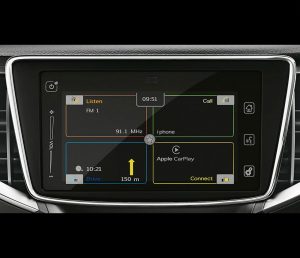
Suzuki SLDA Firmware Update 1890 / 1891
For Suzuki vehicles with the BOSCH SLDA / SmartPlay head unit, firmware 1890 and 1891 are the go-to options to enable Apple CarPlay and Android Auto on supported units, plus improve overall stability. In 2026, phone integration is a daily need, and this update helps bring the system up to the latest available update level for many SLDA setups.
Products in this category
- Suzuki SLDA 1890 firmware update (digital files + step-by-step guide)
- Suzuki SLDA 1891 firmware update (digital files + step-by-step guide)
1890 vs 1891
Suzuki SLDA 1891 is listed as having no changes compared to firmware 1890. If you simply want the newest build number, choose 1891. Otherwise, 1890 is the standard choice and delivers the same feature set.
What the firmware update can improve
- Apple CarPlay support and Android Auto support on compatible SLDA units
- Fix for repeated reboot on the next start after switching off with USB media selected
- Improved settings translations, including French language items
- More reliable display behavior for rear-view camera image
- Touch panel responsiveness improvements after inserting USB memory
- Reduced random restarts or freezes linked to internal task failures
- Reduced restarts when searching POI
- Bluetooth stability improvements in specific edge cases (including special characters in contacts)
- CarPlay connection behavior improvements during system startup
Compatibility (examples)
Designed for Suzuki cars with the BOSCH Navigation / SLDA system. Common examples include Vitara, SX-4, S-Cross, Ignis, Baleno, Swift, and Jimny. If you are unsure, check your installed SLDA software version first and contact support for a quick compatibility check.
Digital delivery: Same Day / Next Day
This is a digital product. You receive the firmware files plus a step-by-step guide. No shipping.
Update method (USB or SD)
- Use an empty USB stick or SD card formatted as FAT32 or vFAT
- Copy the full file set to the root directory (no subfolders). Some packages include an extra file like kds.dnl
- Insert the media after the unit boots; the screen can go black briefly and the update continues automatically
- Total update time is typically around 25 minutes; do not interrupt power during the process
- After completion, hold the Settings button for about 10 seconds and open Software Version to confirm the new version
Important notes
- This is a firmware update only. If you need a sat nav SD card, sat nav update, navigation update, or map update for navigation content, that is a separate product line.
- Use stable power during installation. Many drivers keep the engine running to avoid low battery during the update.
Trust and support
Trustpilot: Navi-World is rated “Excellent” — https://uk.trustpilot.com/review/navi-world.com
Tech support (compatibility check and installation help): https://navi-world.com/contact-us/