
Mazda Connect 2 Firmware Update
-

Mazda Connect 2 Telematics Communication Unit (TCU) Update Europe
€1.00 €19.90Price range: €1.00 through €19.90 Select options
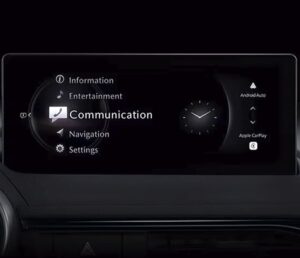
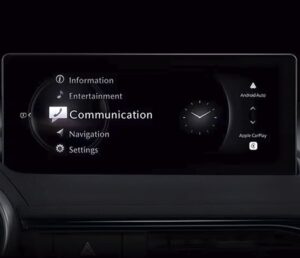
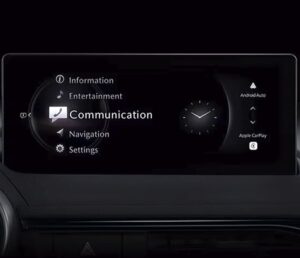
Mazda Connect 2 Firmware Updates (EU / North America) — 2026
Mazda Connect 2 is quick when everything is healthy, but when firmware is behind the system can start acting “odd”: slower response, random reboots, Bluetooth dropouts, freezing screens, or strange behaviour in audio and connected features. This category is for Mazda Connect 2 firmware updates with digital delivery, so you can refresh the system without waiting for shipping.
What You Get (Digital Delivery)
- Download link to the files
- Step-by-step installation guide
- Help from our technical support if you want a quick confirmation before you start
We’re rated “Excellent” on Trustpilot: https://uk.trustpilot.com/review/navi-world.com
Choose the Correct Region
Mazda Connect 2 firmware is region-specific. EU and North America packages are not interchangeable, so please select the option that matches your vehicle market.
- Europe (EU) — for European/UK-type Mazda Connect 2 units
- North America (NA) — for USA / Canada / Mexico units
If you want the safest route, send your VIN plus a photo of the system information screen and we’ll point you to the correct option before you order: https://navi-world.com/contact-us/
How to Identify the Correct CMU Package
Mazda Connect 2 uses different CMU “Model ID” families (EU01, EU03, NA06, etc.). The quickest method is to check the CMU Model ID in the engineering menu and match it to the product page list. Guide here: https://navi-world.com/2024/07/24/how-to-check-your-cmu-model-id-mazda-connect-2/
Updates Available in This Category
1) Mazda Connect 2 CMU Firmware Update — Europe
Use this when the main infotainment feels unstable or outdated: lag, freezes, reboots, Bluetooth pairing/streaming issues, or general performance problems.
2) Mazda Connect 2 CMU Firmware Update — North America
Same purpose as the EU package, but for USA/Canada/Mexico vehicles.
3) Mazda Connect 2 Remote Tuner (RT) Update — Europe
This option is intended for RT-related issues that show up as audio/radio misbehaviour or power-management quirks. Typical reasons people choose an RT update include audio source problems, no sound from sources, radio interruptions, or cases where normal checks don’t improve the behaviour.
4) Mazda Connect 2 Remote Tuner (RT) Update — North America
North America equivalent of the RT update for the same type of RT symptoms.
5) Mazda Connect 2 Telematics Communication Unit (TCU) Update — Europe
For cars where the TCU throws a malfunction message, or connected/telematics features behave incorrectly. If your warning points to a telematics fault, this is the update to review.
6) Mazda Connect 2 Telematics Communication Unit (TCU) Update — North America
North America version of the TCU update for USA/Canada/Mexico vehicles.
Installation (Plain Description)
You download the files, prepare the USB media as described in the instruction, then run the update in the car and follow the on-screen prompts. The key step is choosing the correct package first — if anything looks unusual, message support and we’ll help you confirm the right choice before you begin.