
Audi MMI firmware update



Audi MMI Software & Firmware Updates (Europe) — Digital Delivery
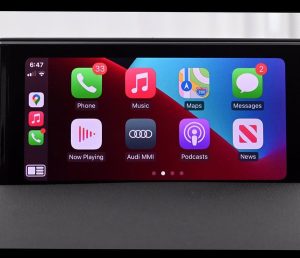
Audi firmware updates are not “nice to have” — they are what you reach for when the system starts behaving oddly: Bluetooth drops, phones stop pairing cleanly, the unit reboots, menus lag, or features don’t work the way they should. This category covers Audi MMI software/firmware packages for popular Europe configurations (MHIG, MIB1 Standard / MSTD, and RMC/RMC2), plus a dedicated bundle for Audi MIB-HS (MHS2) that includes the firmware update and Apple CarPlay / Android Auto activation.
Why drivers search for an Audi firmware update
- Bluetooth connection issues (unstable pairing, missing contacts, audio stutter)
- Random restarts, freezing, slow boot or laggy menus
- Stability fixes after battery work or component replacement
- Feature enablement for MIB-HS (CarPlay / Android Auto)
- “MMI software update” requests when the unit feels unreliable
What you’ll find in this category
- Audi MHIG_EU_AU_K1555 Europe Software Update
- Audi MIB1 Standard MSTD_EU_AU_P5101 Europe Software Update
- Audi RMC_EU_K16158 Europe Software Update
- Audi RMC_EU_K16342 Europe Software Update
- Audi MIB-HS / MHS2 update bundle with Apple CarPlay & Android Auto activation
Digital Delivery (same/next day)
These are digital products. After purchase, you receive a download link to the correct files, any required activation items (where applicable), and a step-by-step guide so you can complete the update without guesswork.
How to choose the correct Audi firmware package
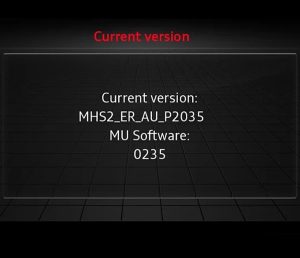
Audi has several MMI generations, and “Audi MMI update” alone is not enough to select the right files. The quickest reliable method is to open your Version / Software information screen and match the platform code (MHIG, MSTD, RMC, etc.) to the product page. If you prefer, send our support team a photo of that screen and we will point you to the correct option before you order: https://navi-world.com/contact-us/
Installation, in plain terms
You download the files, copy them to the required media (SD or USB — your product page/instructions will specify), then run the update from inside the car and follow the on-screen prompts. Once the installation begins, avoid interruptions and let the unit finish the process.
Trust and support
Navi-World is rated “Excellent” on Trustpilot. Firmware updates are exactly where clear instructions and real support matter, so if anything looks unclear at any step, message us and we will help you complete the update cleanly.