
Toyota Carplay / Android Auto
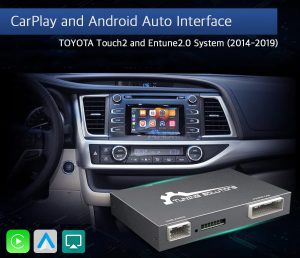


Toyota CarPlay / Android Auto: Touch2 Retrofit and Gen 10 Activation
Toyota CarPlay / Android Auto upgrades in this category follow two different routes, and the correct one depends on the infotainment type. One option is a hardware retrofit for Touch2 and Entune2.0. The other is a digital activation for Toyota Touch 3 / Gen 10 on selected vehicles. In 2026, picking the right route first is what saves you time.
How to choose quickly
- If your system is Touch2 or Entune2.0, choose the wireless retrofit kit.
- If your system is Toyota Touch 3 / Gen 10 and your software matches the supported list, choose the factory-style activation.
If you are unsure, send a photo of your head unit home screen or the software information page to support and we will point you to the correct option before you order.
Touch2 & Entune2.0 wireless retrofit kit
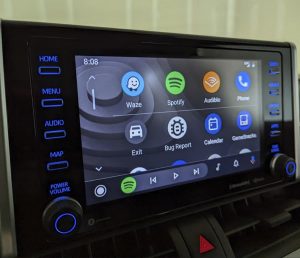
This is a physical interface module. It keeps the factory screen and original controls, then adds CarPlay and Android Auto as an extra mode for everyday use. Typical use cases are phone navigation, calls, messages, and music apps on the OEM display.
Functions shown for the Touch2 / Entune2.0 kit
- Wireless Apple CarPlay (Bluetooth pairing, Wi-Fi data link)
- AirPlay via USB for supported playback use cases
- Android Auto and Android Mirroring-Link on supported phones
- Navigation apps such as Google Maps, Waze, and Apple Maps
- Music apps streaming through the factory media path
- Support for aftermarket camera inputs where supported, plus dynamic guidance lines
- USB flash drive playback for music and video through the kit USB port
- OEM button control and plug and play install style
Toyota Touch 3 / Gen 10 factory activation (digital)
This option is a digital product delivered by email, so there is no shipping. It is intended for selected vehicles such as Corolla 2019+ and RAV4 2019+ when the software family matches the supported Panasonic or Denso/Fujitsu versions shown in the product details.
Before you order (software check)
Check your model ID and software details on the update screen inside the Toyota menu. The system must meet the supported requirement; if it is below that level, the activation will not apply. If you send a photo of that screen to support, we will confirm it before you order.
Delivery, trust, and support
Physical CarPlay / Android Auto integration kits are shipped with tracking and are typically delivered via DHL. Digital activations are delivered by email Same Day or Next Day with links and step-by-step instructions, with no shipping.
Trustpilot: Navi-World is rated “Excellent” — https://uk.trustpilot.com/review/navi-world.com
Tech support and compatibility check: https://navi-world.com/contact-us/