
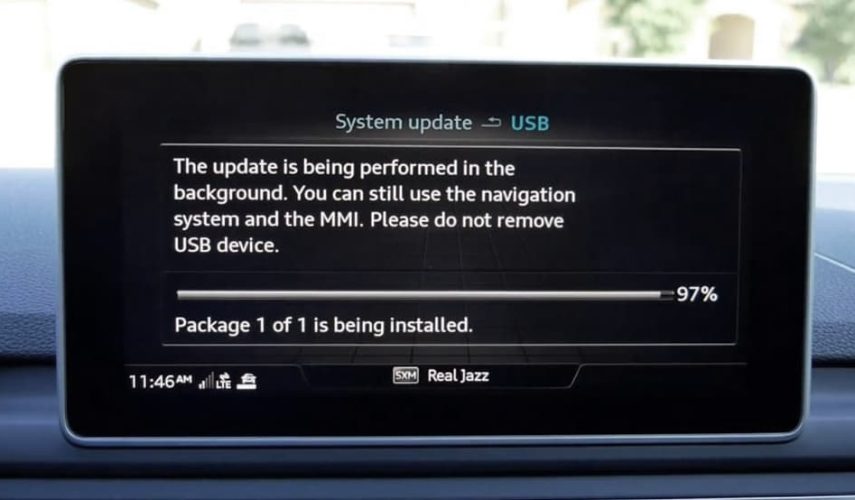
Audi Firmware Update Guide via Engineering (Red) Menu
⚠️ Warning: Incorrect firmware installation can lead to system failure. Follow these steps carefully. Ensure your battery is fully charged before beginning the update. Low voltage during the update can interrupt the process and cause permanent damage to the MMI unit. Proceed at your own risk.
What You Need:
- A valid firmware package downloaded from the link we provide
- A USB flash drive or SD card (16–32GB) formatted to FAT32
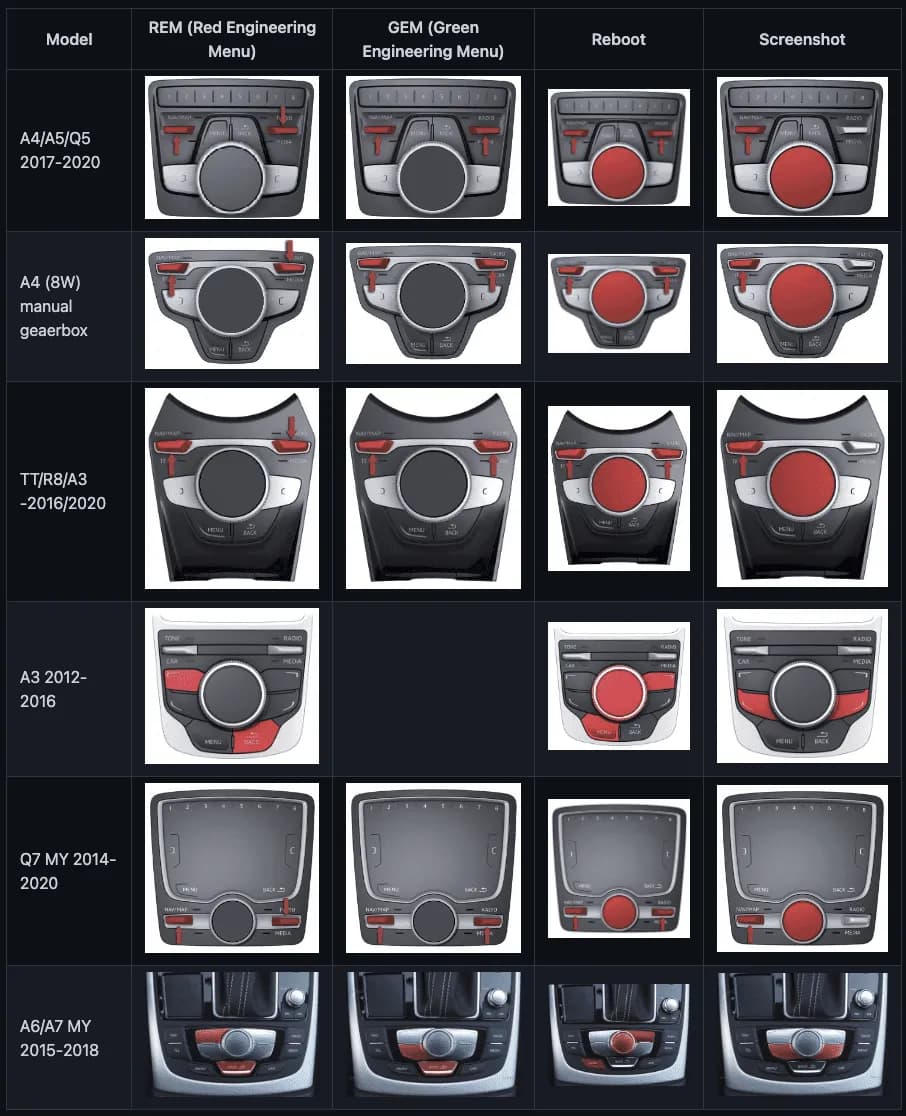
- Access to the Engineering Menu (red menu) via a button combination shown in the provided photo
- A fully charged car battery or connection to a stable external power supply
Important: Ensure your battery is fully charged before beginning the update. Low voltage during the update can interrupt the process and cause permanent damage to the MMI unit.
1. Download & Prepare the Update Media
- Download the official firmware package from the provided link.
- Format a USB drive or SD card to FAT32 (recommended: full format).
- Extract the downloaded archive to USB drive or SD card.
Make sure the firmware files are placed directly in the root folder — not inside any subfolders.
2. Enter the Engineering Menu (Red Menu)
- Insert the USB or SD card into slot SD1 or the USB port in your car.
- Turn on the ignition (you can turn engine on if you are not sure about your battery, do n).
- Press and hold the button combination shown in the provided photo until the Engineering Menu appears (with red styling).
3. Start the Firmware Update
- In the Engineering Menu, go to the “Update” section.
- Choose the update source:
- SD1 for SD card
- USB for USB flash drive
- Select the firmware package from the list.
- Choose the “Standard” update method (if prompted).
- Confirm and begin the update process.
4. Monitor the Update
- The update process can take between 20 and 40 minutes.
- The system will reboot automatically during the update.
- Do not interrupt, turn off the ignition, or remove the media device during the update.
5. After Completion
- Once the process is finished, go to Setup > Version Information to verify the new firmware version.
- Ensure all MMI features function correctly.
0 Comments for “Audi Firmware Update Guide. Complete Instructions”