
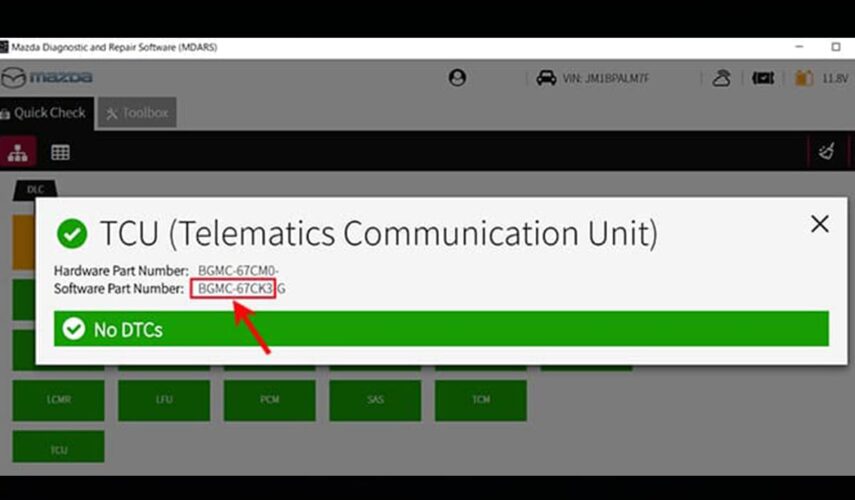
You can find your TCU part number using MDARS or or you can find it on the TCU module itself.
TCU Software Part Number
| 1. From the MDARS main screen, Select “TCU” | 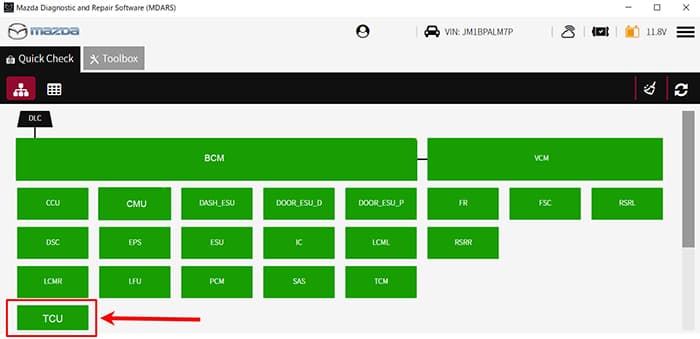 |
| 2. See Software Part Number | 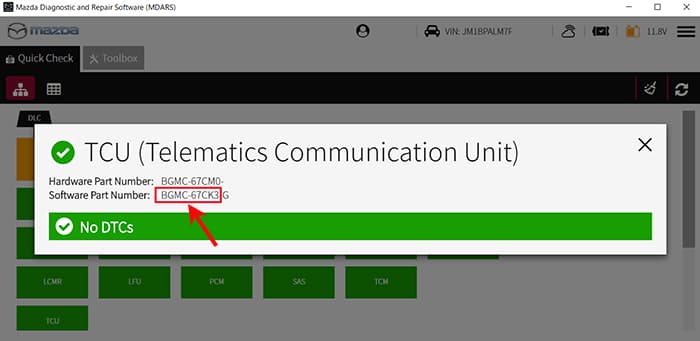 |
| 3. You can find TCU part number on the TCU module | 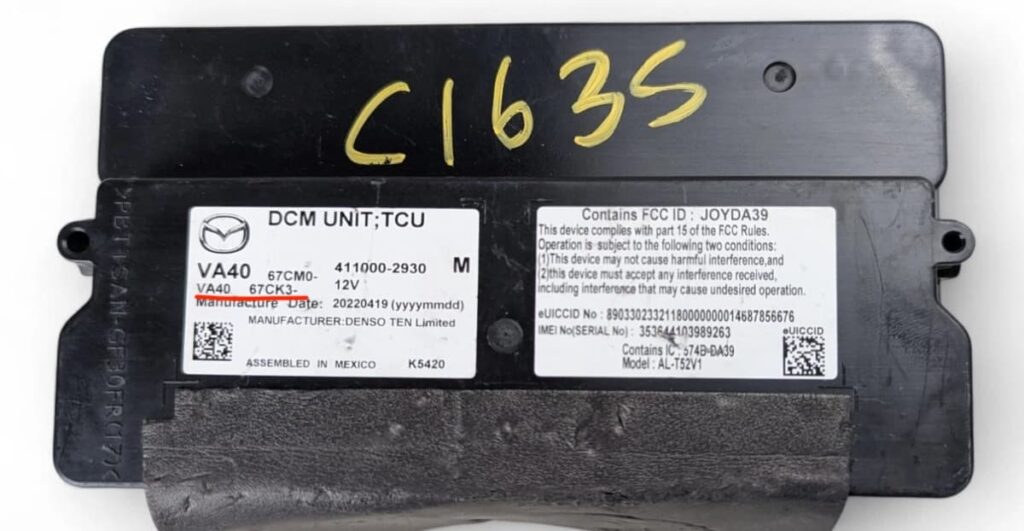 |
| 4. You can find TCU part number on the TCU module | 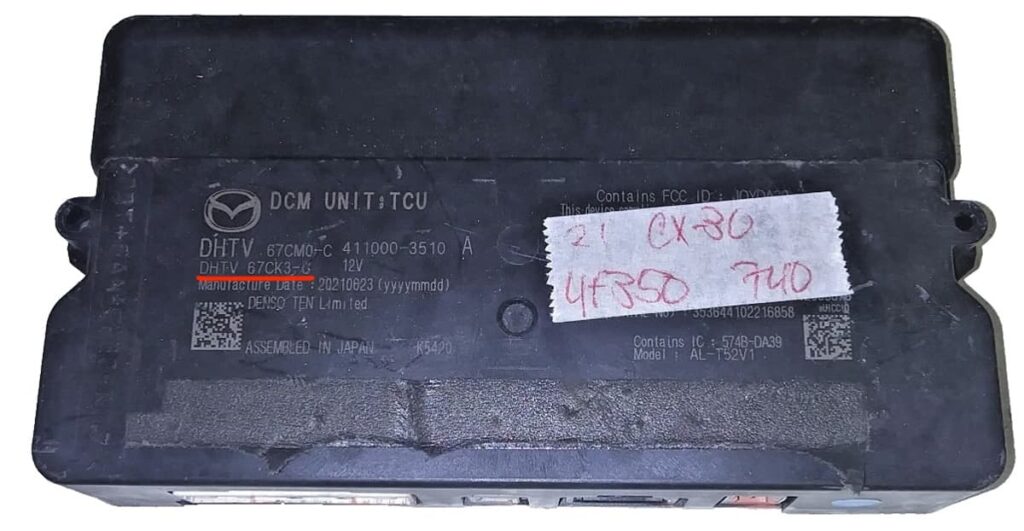 |
| TCU Software Version | ||
| 1. Press and hold the Volume knob, then press and hold the Entertainment and Favorites buttons at the same time for 3-5 seconds and the Factory /Service Inspection screen will appear. | CX-5 and CX-9 | Except CX-5 and CX-9 |
| 2. Select Service Information | 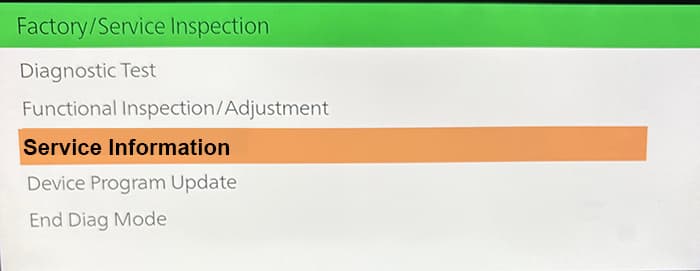 | |
| 3. Select Connected Device Information | 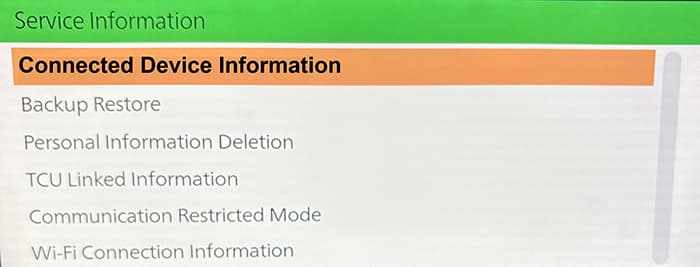 | |
| 4. Select TCU Linked information. | 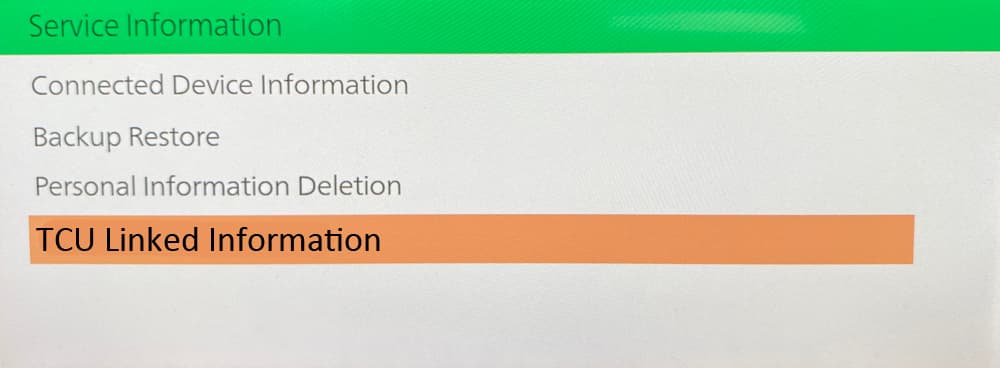 | |
| 5. Scroll down to TCU Software Version. | 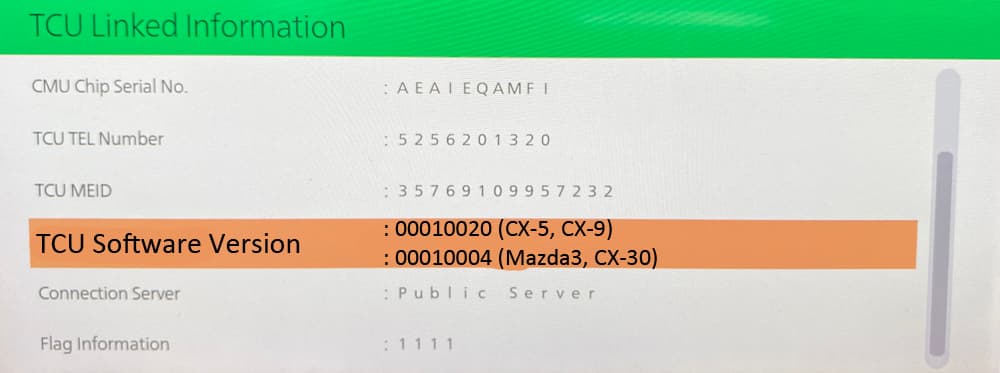 | |
0 Comments for “How to find your TCU part number and TCU software version version?”