
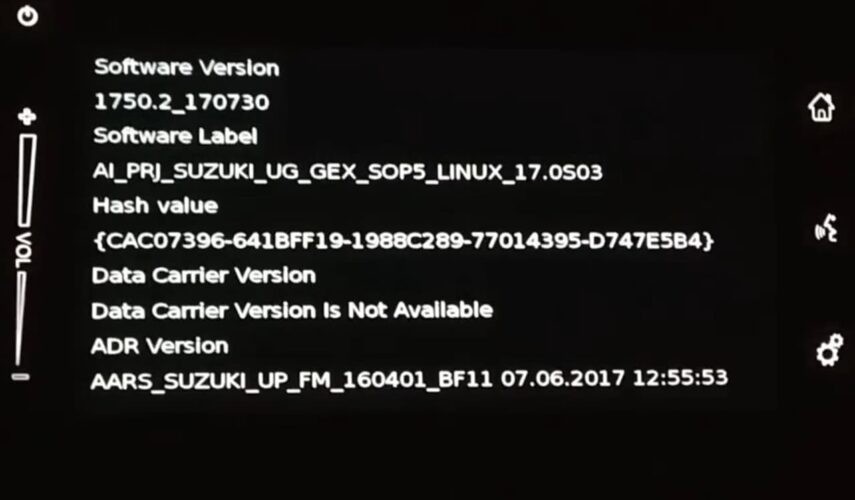
Not sure which Suzuki SLDA software version your unit is running? You can check it directly from the head unit in under a minute.
How to check the SLDA software version
- Turn the ignition on and let the radio fully boot.
- Press and hold the Settings button for about 10 seconds.
- When the service menu appears, tap Software version.
You’ll see the installed version on the screen. If you’re planning an update, take a quick photo of this screen so you can match the correct files/version later.
Tip: If the menu doesn’t appear on the first try, release the button and repeat the 10-second press once more.
0 Comments for “Suzuki SLDA which version is installed? How to check.”